
.svg)
Introducing System Usability Scale Testing in Askable
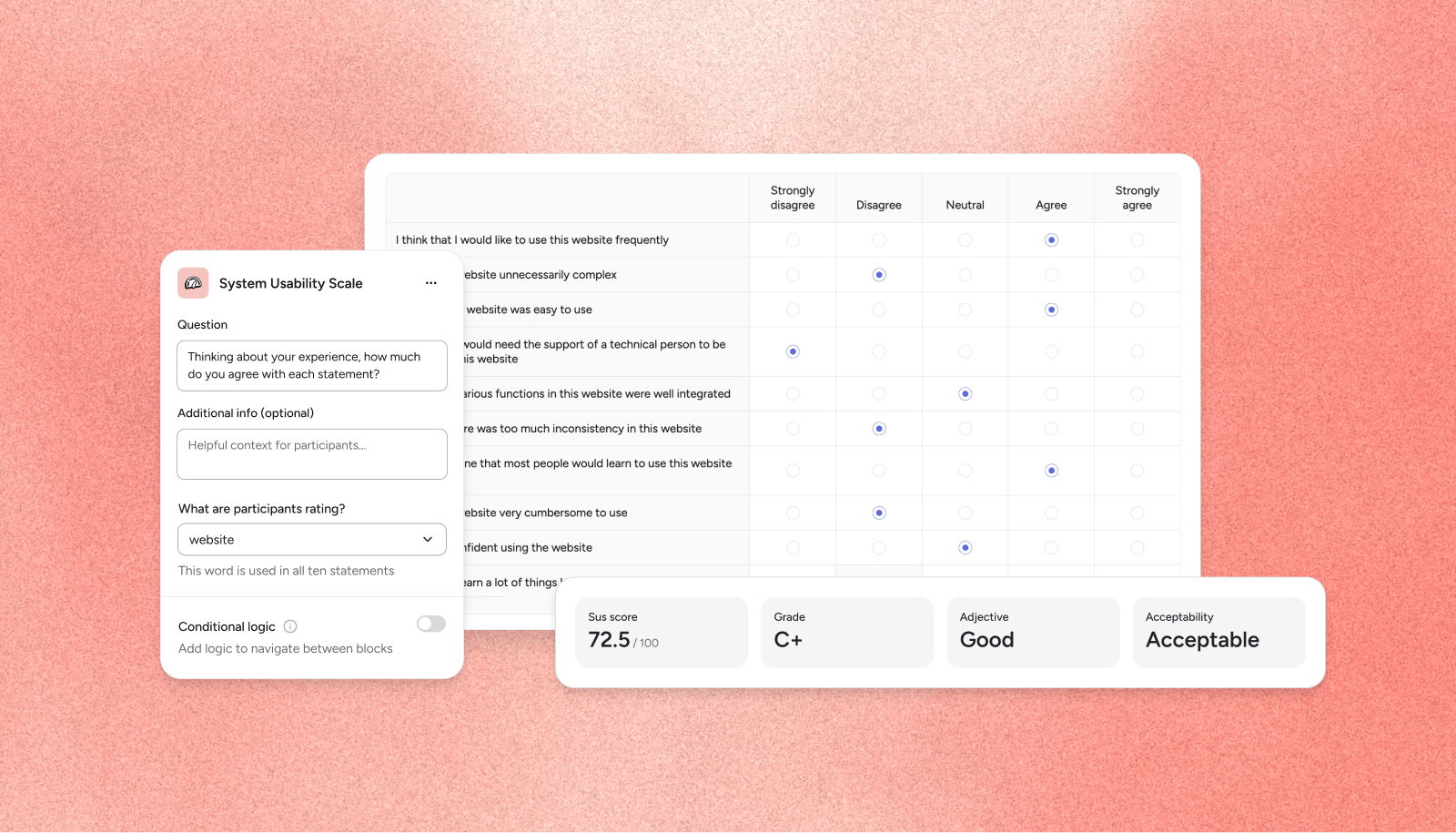
System Usability Scale (SUS) is now a block, bringing in a 17th method of testing within the Askable Platform; expanding the breadth of study types now available in your surveys and unmoderated studies.
What is this release?
SUS is one of the most widely used usability questionnaires in the world. What makes this testing type stand out is that everyone uses the same ten statements and the same scale. This means a score can be compared with published benchmarks, with competitors, and with a team's own earlier rounds of testing. This results in an industry standard you can trust across all your design testing.
This dedicated block allows researchers to quickly launch SUS studies within the Askable app. Askable created this dedicated block to ensure consistency across all tests. It also removes the risk of rewording of statements creating inherent bias or misalignment. It also stops your team from needing to export data and score it by hand, as well as removing the need for your team to interpret results themselves.
The SUS block pairs naturally with our tasks blocks. It is a common pattern to place the SUS block after a prototype test, live website test or live mobile test whilst the experience is fresh. With a variant comparison that’s a single, defensible usability number per design - the question most design reviews actually ask.
There is no minimum number of participants needed to run a SUS test. However, we recommend a minimum of 12 participants which comes from a well-known 2004 study (Tullis & Stetson). We recommend a rule of thumb: 40+ for a score you'll report, 12+ as a bare minimum.
How the scoring works
Each participant gets a score out of 100 from their ten answers. The block score is the average of the participant scores, shown to one decimal place. Only participants who answered all ten statements are scored — a missing answer can't be treated as neutral.
Grade, adjective and acceptability all come from one published curve (Sauro–Lewis), so the three can never contradict each other. The online tables most people have seen mix sources, which is how you get "Grade D · Good". Ours are stricter than the blogs: "Excellent" starts at A.
.png)
Limitations and things to know
The following limitations apply to the SUS release.
- SUS testing is not available within live website test follow-ups. Follow-ups are limited to sub-tasks, multiple choice, open answer and opinion scale. In order to run a SUS test please place the block directly after the website test if you wish to run a SUS and website test together.
- Results show: score tiles (score / 100, grade, adjective, acceptability), average rating per statement in the standard order, response distribution (toggle % / #), and individual responses. "No complete responses yet" shows until someone answers all ten.
- Partial responses are left out of the score but still appear in the per-statement charts and individual responses.
- Results filters work on statement ratings, and the CSV export includes each participant's answers.
- In variant comparisons, only the headline score is compared; grade, adjective and per-statement detail stay on each variant's page, one click away.
How do I access this method?
This feature is already live and active in all Askable accounts. Contact your Enterprise Success Manager for more information, or book a demo here.