
.svg)
Website Test Follow-Ups Now Live in Askable
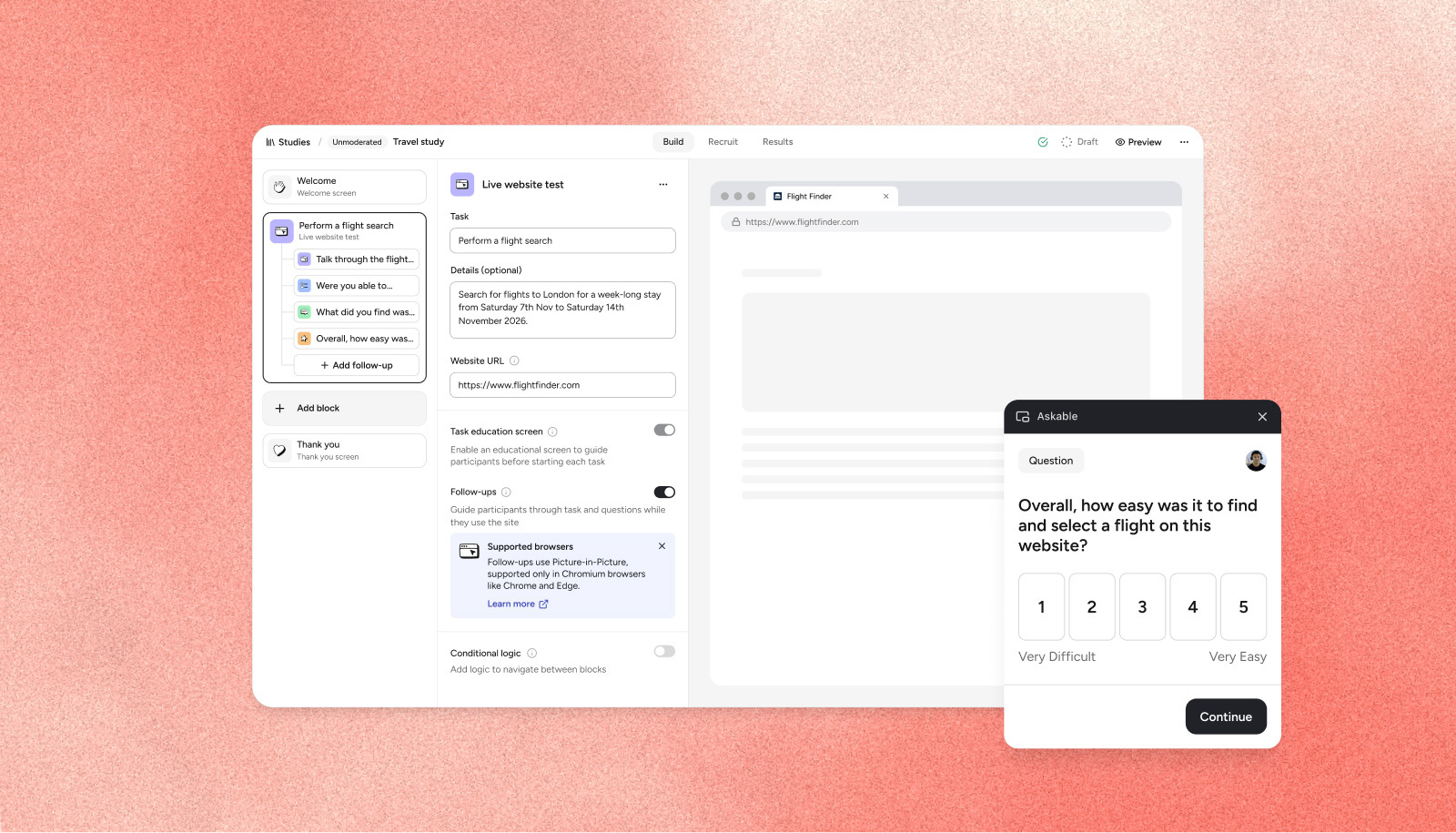
Live website tests now support follow-up tasks. Thanks to this latest upgrade, you can now test multiple steps of a task within Askable’s live website testing block across both desktop and mobile.
What’s included in this upgrade?
Live website tests now support multiple follow-up actions within the same testing block, removing the need to create multiple website testing blocks within an Askable test. This makes it faster than ever to get a website test live, and generate real insights from participants.
Importantly, this is not a browser extension. Participants complete the flow with one continuous recording. By grouping tasks together under one block, participants see a small box in the bottom right-hand corner which guides them through the entire task, including all follow-ups. This creates a smoother, more natural testing experience and allows participants to share insights without delay.
Capturing insights while participants are in the flow, rather than stopping and starting each step, leads to better feedback. This update creates an experience closer to a moderated test, with the entire session recorded, including verbal responses to follow-up questions.
What is excluded from this upgrade?
- This is limited to live website tests in unmoderated studies. Prototype testing is not yet supported. To use a Figma prototype, you can place the Figma URL within a live website test block, however, doing so disables Figma metrics such as heatmaps, paths and misclicks.
- Supported block types are limited to subtasks, multiple choice, open answer and opinion scale.
- On desktop, only Chromium browsers are supported (Chrome, Edge, Opera). If your participant is using Safari or Firefox, they will be shown a screen prompting them to use Chrome instead.
- On desktop participants are required to share their whole screen (not just a tab or window), to ensure the floating window containing the test questions is captured.
- Conditional logic and images are not supported within the follow-up blocks, so tests must follow a linear flow.It is also important to note that at the time of release, the behaviour of the floating window with screen readers has not been tested.
How do I access this upgrade?
This feature is already live and active in all Askable accounts. Contact your Enterprise Success Manager for more information, or book a demo here.